












Why Vets Worry About AirTags

Aug
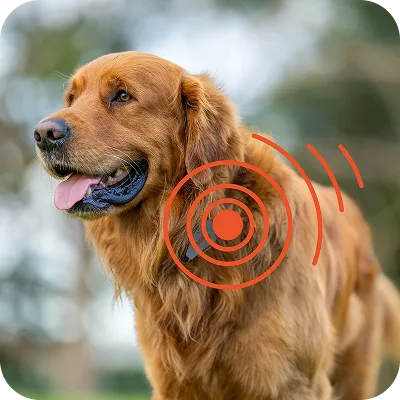
AirTags are used as a cheap alternative for tracking, even though their tracking range is minimal, such as for tracking keys and wallets. But some even use it for tracking pets. But using it for tracking pets also raises serious concerns, according to veterinarians: accidental ingestion and psychological distress from its anti-stalking alert sounds.
The Ingestion Danger: Small Size, Big Problems
AirTags are deceptively dangerous. At just 1.26 inches in diameter and 0.31 inches thick, they’re small enough for many dogs—and even some cats—to swallow. What makes them particularly hazardous is their construction: each AirTag contains a CR2032 lithium coin battery, the same type that has sent thousands of children to emergency rooms.
Why Lithium Batteries Are Veterinary Emergencies
When a lithium battery comes into contact with moisture in the digestive tract, it can cause severe damage. These batteries are notorious for leaking caustic substances that can damage a pet’s mouth and stomach, or lead to poisoning if chewed or if the battery sits in the dog’s stomach for an extended period.
If your pet shows the following symptoms, you should definitely worry about battery ingestion, which may include:
Drooling or difficulty swallowing
Vomiting or gagging
Loss of appetite
Abdominal pain or lethargy
Black or tarry stools
Time is critical. If you suspect your pet has ingested an AirTag or any device containing a lithium battery, seek emergency veterinary care immediately—don’t wait for symptoms to appear.
Real Cases: When Tracking Devices Become Emergencies
Multiple veterinarians have reported treating dogs that swallowed AirTags. A Louisiana veterinarian told The Wall Street Journal that he had treated 6 dogs that had swallowed AirTags in just 18 months, and in each case, the AirTag had initially been attached to the dog’s collar.
Luna’s Six-Week Ordeal
When a six-month-old puppy named Luna ingested an AirTag, her owner took her to the vet immediately. After failing to induce vomiting, the animal hospital attempted surgery, but the surgeon was unable to locate the AirTag. Luna was sent home and endured six weeks of discomfort before finally vomiting up the still-functioning AirTag on her own.
Rose’s Close Call
A dog named Rose chewed on an AirTag while her owners were out of the house, ingesting pieces of metal and plastic. A veterinary visit confirmed she had eaten parts of the device. Fortunately, Rose had not ingested the battery, which could have been fatal.
Sassy’s Unexpected Meal
Dog owner Colin Mortimer discovered his dog Sophie’s AirTag had gone missing. Using the Find My app, he triggered the sound alert and tracked the beeping to his other dog, Sassy’s stomach. After administering hydrogen peroxide twice, Sassy vomited up the still-working AirTag.
These aren’t isolated incidents. The Wall Street Journal article reveals multiple cases of dogs swallowing AirTags, with Reddit users and other pet owners reporting similar emergencies.
When an AirTag Actually Helped and Why it Isn’t still enough?
AirTags have led to some great help during flooding in parts of the US. Some dog owners tracked down their pets who bolted in panic and got lost using the ‘Find My network’, which worked faster than a physical search. Yahoo and Bark & Whiskers have reported incidents where nearby iPhones helped locate lost dogs like Rocky and Seamus within hours. Even though the cases are genuine, they face a common issue: a high number of iPhone users nearby.
Unfortunately, the ‘Find My network’ only favours the situation when it comes within range of a nearby Apple device. So, in a flood zone with hundreds of searchers and residents carrying iPhones, it will be futile. In a rural area, at night, or in a region with low iPhone signal, the same AirTag can be silent for days.
The “Stalker Mode” Problem: Sounds That Terrify
Apple designed AirTags with an anti-stalking feature: if an unknown AirTag is detected moving away from its paired device for an extended period, it emits a beeping sound to alert nearby people. This typically happens after 8 to 24 hours of separation from the paired iPhone. This safety feature for humans has become a source of distress for pets.
You Found a Pet Wearing an AirTag: What to Do
If you’ve found a lost cat or dog wearing an AirTag, here’s what you actually need to do.
Step 1: Tap the AirTag with your phone
Hold your phone’s top edge near the AirTag. iPhones and NFC-capable Android phones both work.
Step 2: Check for a contact page
If the AirTag is in Lost Mode, a webpage pops up with the owner’s phone number. Call them directly. This is the fastest way to reunite the pet with its owner.
Step 3: No contact page? Go to a vet or shelter
Don’t remove or disable the AirTag. Try to take the pet to a nearby vet clinic or a shelter. They can help you scan for a microchip since not every AirTag has the contact details set up.
Step 4: Don’t panic ( the beeping is normal !)
If the AirTag starts beeping while you handle the pet, that’s completely normal. It’s an anti-stalking alert, not a malfunction. It just means the AirTag has been away from the owner’s phone for a while, likely why the pet was found in the first place.
Step 5: Keep the serial number private
Don’t post photos of the AirTag’s serial number online. Someone could use it to falsely claim the pet.
When Protection Becomes Disturbance
When an AirTag is away from its paired device for a few hours, it will start to beep to indicate its presence. This anti-stalking measure is designed to help people locate unwanted trackers, particularly Android users who won’t see the privacy warning that appears on Apple devices.
For dogs with noise sensitivity or anxiety, these unexpected sounds can be deeply distressing. Pet owners and boarding facility operators report cases of dogs becoming:
Extremely anxious or panicked
Unable to sleep or rest
Reluctant to move or behave normally
Confused and stressed by sounds they cannot escape
One pet owner reported that their dog’s AirTag chirped intermittently, waking them up at night and confusing the dog, while their spouse was out of town for a couple of days. Another owner described returning from three days of work travel to find their dog’s AirTag beeping, even though other family members with Apple devices were home.
The problem is particularly acute in boarding situations. If you have a cat that frequently roams for days at a time or a dog that often stays at a boarding facility, the beeping can annoy the pet and anyone else nearby.
What Veterinarians say about using tags as pet tracking device
Most veterinarians, given the risk-to-reward ratio, advise pet owners to reconsider using AirTags on pets. Given this risk, it’s also important to note that Apple has consistently said that AirTag was not designed for use with pets.
If you still want to choose AirTag, then make sure you follow the following steps for your pet’s safety:
Secure it properly: Use a collar holder that can secure and cover the AirTag to protect it from scratches and drops, and prevent the pet from accessing it. The case should be fixed to the collar and be difficult for someone to quickly remove.
Understand the beeping limitation: Be aware that the AirTag will beep after prolonged separation from your iPhone, and this beeping cannot be disabled without removing the speaker entirely or pairing it with another device.
Inform caregivers: Always tell groomers, boarders, and veterinary staff that your pet is wearing an AirTag so they can remove it if beeping starts or to prevent confusion.
Monitor your pet closely: Watch for any signs of stress or attempts to remove the device.
Regular inspections: Check the holder for damage that might allow your pet to access the battery.
How to Attach an AirTag to a Collar (If You’re Going to Anyway)
If you’re set on using an AirTag despite the risks above, some precautions lower the danger, though none remove it.
- Always use a breakaway safety collar, not a standard buckle collar. So the pet can free itself if the AirTag or its holder snags on something.
- Use a hard plastic or silicone holder that fully encloses the AirTag, rather than a slot-in pouch. The battery compartment shouldn’t be reachable by teeth.
- Attach the holder with a separate ring, not the collar’s main loop, so it doesn’t hang loose against the pet’s mouth or chest.
- Check the holder daily for cracks, any chew marks, or a loose battery cover. A damaged holder is way worse than no holder.
- Never leave it unsupervised during boarding or long outdoor stretches without telling the caregiver.
Even done correctly, you’re still managing risk on a device that wasn’t built for a collar. A purpose-built tracker like the PAJ Pet Finder 4G skips the battery-ingestion risk entirely and the beeping problem, since it’s designed to sit against fur and skin without a coin cell a pet can access.
Better devices for Pet Tracking
Veterinarians generally recommend purpose-built pet tracking devices instead, such as:
Pet-specific GPS trackers, such as the PAJ Pet Finder 4 G provide real-time tracking without distance limitations. They are more accurate and suitable for pets that roam or frequently escape, with features specifically designed for animal safety.
Microchips for permanent identification: While not for real-time tracking, these provide permanent identification if your pet is found
What About Tile or Samsung SmartTag?
Samsung SmartTags and Tile work on a similar concept to AirTag – a small Bluetooth device that uses nearby phones to help find its location. Both devices use a coin-cell battery and pose the same risk if a pet chews through the casing and swallows the battery.
WhileTile’s network runs on the Tile app installed base (which is smaller than Apple’s Find My network), the location updates can be less frequent. The Samsung SmartTag mainly depends on nearby Galaxy phones running the ‘SmartThings Find network’, which narrows the pool.
But none of these trackers was designed with animal safety in mind. Issues like beeping, low battery and network issues can affect any of these gadgets, not just Apple’s.
Functional Issues of AirTags when it comes to pet tracking
It is important to note that the device doesn’t connect directly to the internet; instead, it uses a crowdsourced approach via Apple’s Find My network. If a pet runs away and is found by someone, the finder would need an updated iPhone or iPad nearby to ping the Find My network.
The Bottom Line
While AirTags are excellent tracking devices for inanimate objects, they weren’t designed for pets. And according to top veterinarians, using an AirTag on your pet is a poor choice for pet tracking.