

















How to Read GPS Coordinates: Decimal Degrees, DMS, and More
Jul
Most people have seen a GPS coordinate at some point, either on a map link, a tracking app, or a trail guide, and assumed they’d figure it out later. That moment usually comes when it actually matters: you’re trying to share a precise location with someone or interpret data from your GPS tracker. And suddenly those strings of numbers feel less like coordinates and more like a code.
GPS coordinates are not complicated. But the different formats they appear in can be confusing if no one has walked you through them. This guide does exactly that.
Why Are There Multiple Formats?
GPS coordinates pinpoint any of the location on Earth using two values: latitude (how far north or south you are from the equator) and longitude (how far east or west you are from the prime meridian). These values can be shown in a few different ways depending on the tool/ system you’re using.
Types of GPS Coordinate Formats and How to Read Them
Decimal Degrees (DD)
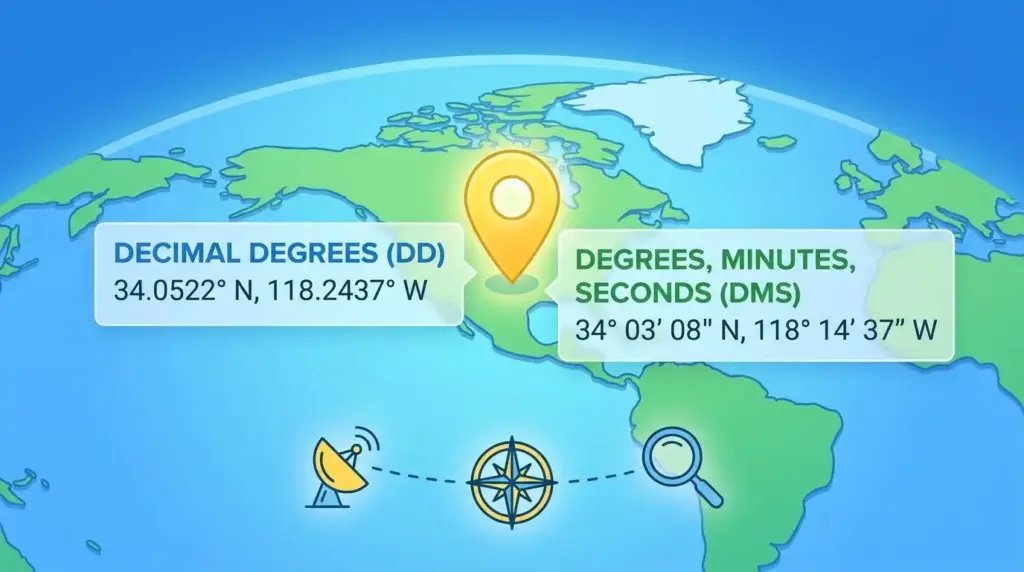
Decimal Degrees shows the latitude and longitude as plain decimal numbers. It is the most common format used in GPS apps, online maps etc ( since it works without any conversion). For example, 48.8566° N, 2.3522° E is Paris.
Latitude: The sign in front of the latitude number tells you which half of the world you are in. No sign means north and a minus sign means south. So 48.8566 is north of the equator, meanwhile -33.8688 is south, which is near Sydney, Australia.
Longitude: A positive number means east of the Prime Meridian. Similarly, a negative number means west. For example, -74.0060 in longitude puts you in New York City.
Degrees, Minutes, Seconds (DMS)
DMS is the traditional format used in aviation charts, paper maps, and marine navigation etc. It also breaks a location down into three parts, each smaller than the last, to get to a precise point. The same Paris location in DMS looks like this: 48° 51′ 23.76″ N, 2° 21′ 7.92″ E.
- Degrees (°): This will tell you roughly where on Earth you are, either north or south of the equator, or east or west of the Prime Meridian. One degree of latitude covers about nearly 111 kilometers.
- Minutes (‘): Each degree is split into 60 minutes to get more specific. One minute of latitude is roughly 1.85 kilometers, which made it a practical unit for sailors on open water.
- Seconds (“): Each minute is then split into 60 seconds for even greater detail. You can also see the seconds written with a decimal ( such as 48° 51′ 23.756″ N ) when the data requires a higher level of accuracy.
Degrees and Decimal Minutes (DDM)
DDM uses the degree and minute structure from DMS but skips the seconds entirely. Instead, it writes the leftover portion of a minute as a decimal. The result is a format that is precise but simpler to work with. Paris in DDM looks like this: 48° 51.396′ N, 2° 21.132′ E.
- Degrees (°): Same as in DMS, the degree tells you the broad geographical position, north or south of the equator, or east or west of the Prime Meridian.
- Decimal Minutes (‘): Rather than going further into seconds, the remaining fraction is simply written as a decimal after the minute. So instead of 51 minutes and 23 seconds, you get 51.396 minutes. It is easier to read and still accurate enough for most navigation purposes.
If you’re using a PAJ GPS boat tracker, DDM may be the default output depending on your device settings. Knowing how to read it, or convert it to DD, keeps you from misreading a location by hundreds of meters.
How to Convert Between Formats
To convert from DMS to DD: take the degrees, add the minutes divided by 60, then add the seconds divided by 3600. So 48° 51′ 23.76″ becomes 48 + (51/60) + (23.76/3600) = 48.8566.
For DDM to DD: degrees plus decimal minutes divided by 60. So 48° 51.396′ turns into 48 + (51.396/60) = 48.8566.
Most of the app shows coordinates in Decimal Degrees by default, so you rarely need to do this manually. But if you’re reading data from a third-party map or a legacy navigation system, the formula is worth keeping handy.
One Detail That Trips People Up
Latitude always comes first, then longitude. A point listed as 28.6139, 77.2090 is in New Delhi because latitude (28°N) precedes longitude (77°E). Flip those numbers and you end up somewhere in the ocean. When in doubt, check which format the system expects before entering or sharing a coordinate, and confirm whether direction is indicated by a letter (N, S, E, W) or a positive/negative sign.
The Format Changes. The Location Doesn’t.
GPS coordinate formats can look different. But they’re all saying the same thing: here is a precise point on Earth. Decimal Degrees keeps things clean for digital tools. DMS offers the granular breakdown that traditional navigation relies on. DDM sits comfortably in between, favored by maritime and handheld devices. Once you know what you’re looking at, any format becomes just another way of saying: this is where.